
Stitch a whole virtual tour without placing a single control point.
Panoramic2000 turns fisheye brackets into finished 360° panoramas. It measures depth in every overlap instead of asking you for matching points, merges your raw exposures, covers the tripod and finishes light and colour in one window. Written by a virtual-tour photographer for his own daily work.
- No control points
- Add photos, press Stitch.
- HDR from raw
- Exposures aligned before merging.
- Photo Lab built in
- Finish without a second program.
- 10000 × 5000 px
- The size virtual tours and Street View use.
The same raw files, two stitchers
These are real jobs, not demo scenes. Drag the line across each picture. Nothing was retouched by hand on either side.

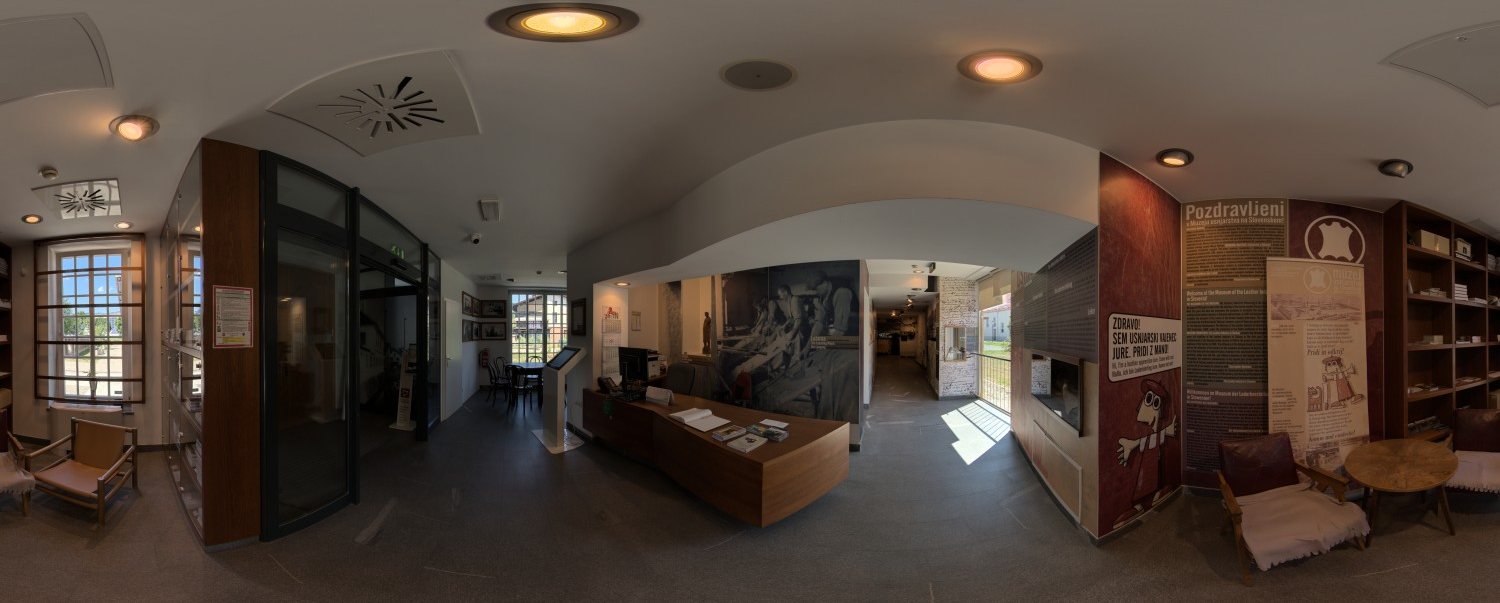
Museum reception, 12 raw files, no manual work
The author exports dark from PTGui on purpose, to keep the view through the windows, and then lifts the room in Photoshop. Panoramic2000 keeps the windows and the room in one pass, so the result on the right is close to the finished picture.

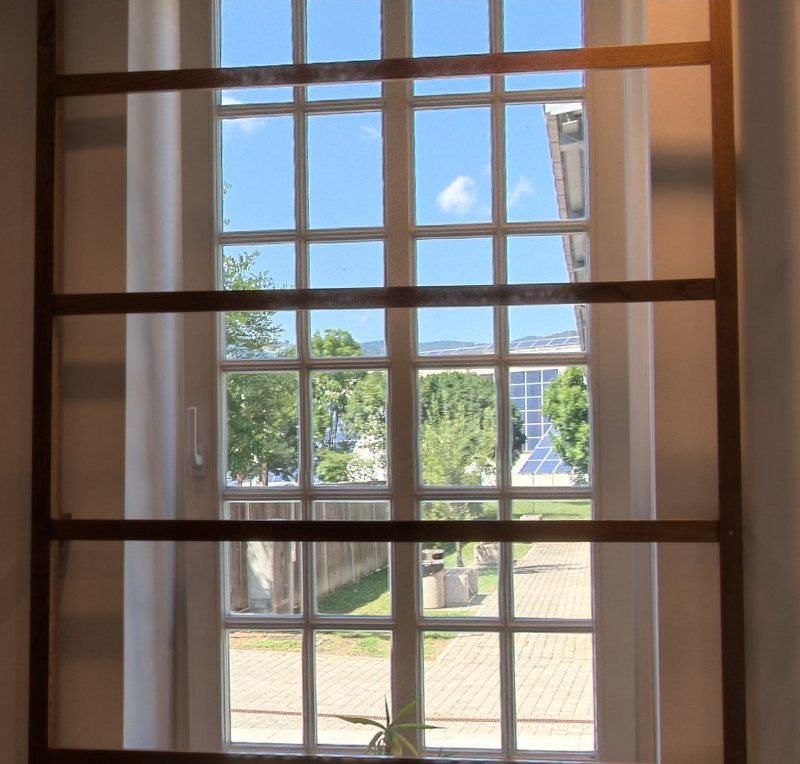
The window in that room
Same panorama, cropped at full size. The window bars stay continuous across the seam.

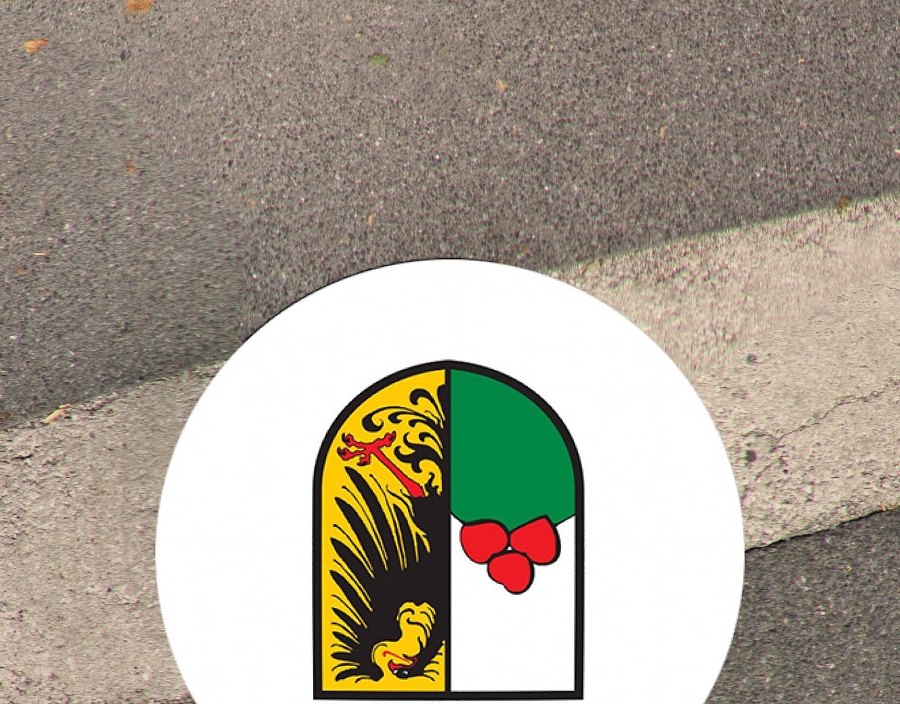
The photographer’s shadow
A logo was already in this panorama. The shadow of the photographer and the tripod beside it is taken out automatically, right up to the logo’s rim.

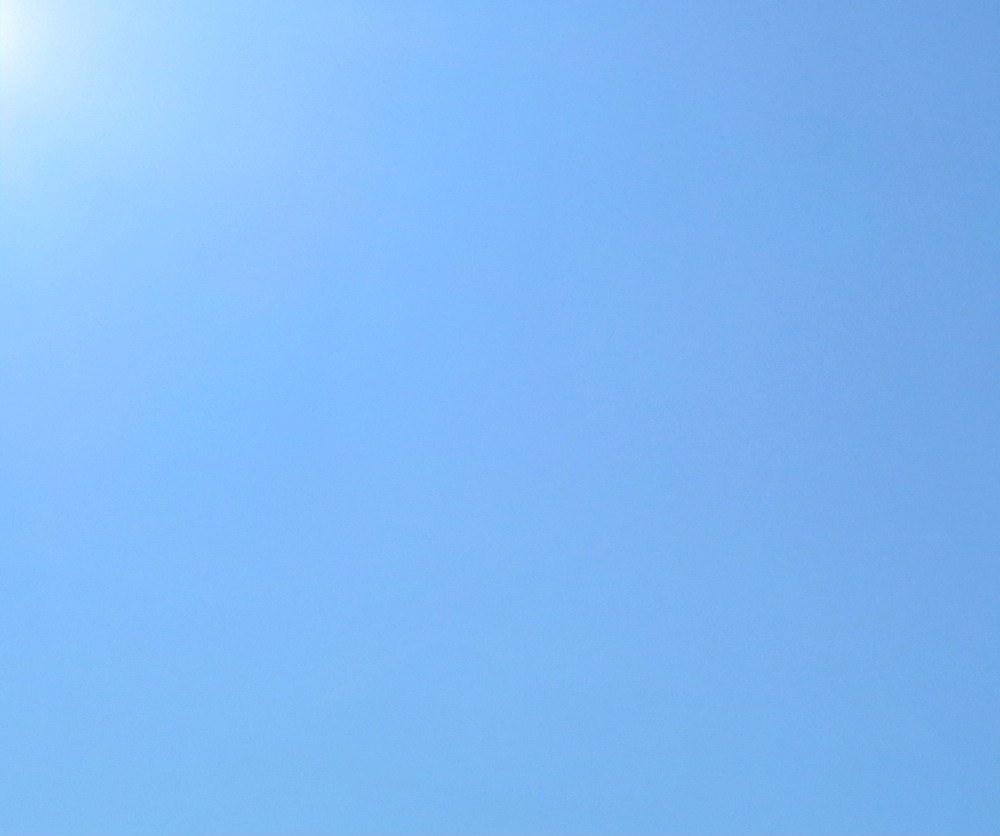
Retouch brush on a sky gradient
Three strokes. Sky is the hardest surface for a healing tool because every edge shows; here the gradient stays smooth.

Drone panoramas: green flare dots
Two crops at full size from a DJI panorama. Import a finished panorama from a drone, a 360° camera or another stitcher: the green dots the drone's lens leaves in the sky are found and taken out, the join between the left and right edge is checked, and Photo Lab does the rest.
One folder in, a whole tour out
The part of the job that eats the day is not the stitching. It is finding the right twelve files for each position, starting the stitch again and again, and then repairing every panorama by hand. Panoramic2000 takes the folder of the whole shoot and does all of it in one run.

Point it at the folder
No picking files out of a grid of look-alike fisheye thumbnails. The app reads the whole shoot, groups the exposures of each bracket and splits the positions apart by itself. You check the rows, join or split any of them, and that is the whole setup.
Press Stitch once
Every panorama is built in turn while you watch it form. No optimiser, no project settings, no going back to the folder between rooms. A sound tells you when the tour is done.
Get finished panoramas
The tripod is already covered with your logo, the shadow beside it is gone and the horizon is level. Set the look on one panorama in Photo Lab and apply it to every room.
What that removes from a ten-position tour
- By hand, with a stitcher and a photo editorWith Panoramic2000
- 120 photos found and grouped, ten times back to the same folderone folder, dropped once
- 10 projects set up, started and exportedone press of Stitch
- 10 tripods patched in Photoshop, each a slightly different sizeyour logo, the same diameter in every panorama
- 10 tripod and photographer shadows erased by handremoved on its own where the sun left one
- 10 round trips to a second program for light and colourPhoto Lab, one look applied to the whole tour
Put your own minutes on it
We do not know how fast you are in Photoshop. Set the three figures to yours and the page does the arithmetic.
Set it while you look at it
A panorama is judged inside a viewer, not as a 2 : 1 rectangle. The viewer is built into Photo Lab, so you can set exposure, white balance and sharpening while looking at the room the way your client’s visitor will see it on their website or in Street View. Drag to look around; the sliders keep working.

Everything the panorama still needs, in the same window
Photo Lab is the right-hand side of the window you saw above. The controls are named and coloured the way you know them from Photoshop, and every one of them shows its effect live on the panorama, in the 360° view as well.
- AutoOne press sets the whole picture: it lifts shadows and holds highlights without adding contrast, saturation or an “HDR look”. Natural and Vivid are one click each and show their values on the sliders, so you can take them further by hand.
- HDRBrightness and compression on the merged exposures, so a room and the view through its window hold together in one picture instead of fighting each other.
- Auto whiteThe app measures the white balance from the picture and takes the cast out. A picker and a mixed-light control are there for rooms lit by lamps and windows at once.
- Retouch brushPaint over a stain, a cable, an aircraft trail or a shadow and a real piece of the surface around it is laid in, with its edges and its grain. It holds on a clear sky, where every repair usually shows. Undo, Redo and Reset cover every stroke.
- Noise, sharpening, fringes, dehazeLuminance and colour noise separately, purple and green fringes, haze. A Suggest button proposes values measured from this picture rather than a preset.
- Seamless at the edgesThe left and right edge are treated as neighbours, so no vertical line appears where they meet in the viewer — the fault that sends most panoramas back for a second pass.
- One look for the whole tourSettle it on one panorama, apply it to every room of the shoot, and the rooms match when the visitor walks between them.
- Nothing is thrown awayThe panorama stays editable: level, masks, windows, colours and brush strokes can all be changed later without stitching again from the start.
What it does differently
It measures depth
Classic stitchers line photos up with matching points and assume everything is far away. When the camera did not turn exactly around the lens, beams and door frames break at the seams. Panoramic2000 estimates how far things are in every overlap and moves each photo accordingly. Ceilings with beams are what it was built on.
Seams go where the photos agree
The cut between two photos is routed around structure, then both sides are aligned along it. Window bars and tiles stay continuous.
HDR that does not cost sharpness
Photos of one bracket are rarely pixel-identical. They are registered to a fraction of a pixel before merging. People who walked through one exposure are taken from a single frame.
Made for whole tours
One click gives every room the same look. The tripod logo has a fixed diameter in pixels, so it is identical in every panorama.
Levelled for you
The horizon and the verticals are set automatically, and you can still turn the panorama to choose where the tour opens.
Your photos stay on your computer
Nothing is uploaded. The app contacts the licence server only to confirm the licence and to look for updates.
Panoramic2000 or a general-purpose stitcher
A general stitcher does many jobs. Panoramic2000 does one. This table includes the rows where the other choice is better.
| Panoramic2000 | General-purpose stitcher plus photo editor | |
|---|---|---|
| Aligning the photos | Depth measured in every overlap. No control points, no optimiser. | Control points and an optimiser. You can repair any case by hand, and sometimes you have to. |
| Finishing light and colour | Photo Lab in the same window, on the full panorama, edges kept seamless. | Export, then finish in a separate editor. Watch the left and right edge yourself. |
| Tripod | Logo at a fixed pixel diameter or floor fill. Shadow of tripod and photographer removed. | Patch or retouch per panorama. |
| A whole tour | Drop the folder of the shoot. One look for every room. | Batch stitching in some editions. Look applied in the editor. |
| Drone and 360° camera panoramas | Import and finish. Zenith rebuilt, edge join checked, flare dots removed. | Usually a job for the photo editor. |
| Lenses and shooting styles | Fisheye, photos taken around one position. | Almost any lens. Multi-row, gigapixel, flat and partial panoramas. |
| Manual control | Masks. No manual control points. | Full control over points, lens model and projection. |
| Output | JPG, PNG, TIFF at 8 bits per colour. | Often 16-bit and HDR formats as well. |
| Computers | macOS. | Usually Windows and macOS. |
The picture comparisons above were made by the author with PTGui Pro 13.9, which he has used and licensed for years, on his own commercial jobs. The table describes the general kind of tool, not one product.
Choose another tool when
- you shoot multi-row landscapes, gigapixel mosaics or flat panoramas,
- you need 16-bit or HDR files for further grading,
- you work on Windows. A Windows version does not exist yet.
Try it on your own shoot
The trial has every function. Panoramas are saved at up to 4000 × 2000 px, enough to judge seams, light and colour on your own rooms before you pay.
- One licence key for two of your computers
- Move the licence to another computer yourself
- Money back within 14 days of purchase
- Panoramas up to the full sharpness of your photos
- Works without a connection; the licence is confirmed online from time to time
Questions photographers ask first
Which lenses and heads does it work with?
A fisheye lens with the camera upright, photos taken around one position. It was developed with 8 mm and 10.5 mm fisheye lenses and four shots around. More shots per position work too.
Which files can I load?
Raw files including ARW, CR2, CR3, NEF, RAF, RW2, ORF, PEF and DNG, and JPG, PNG or TIFF. Raw gives the best HDR result.
I already have panoramas from PTGui, a drone or a 360° camera. Can I use them?
Yes. Import finished 2 : 1 panoramas and finish them in Photo Lab. Nothing is stitched again.
What if the automatic result has a fault?
Paint a mask over the spot on the source photos and render again. There are no manual control points, so a scene the app cannot solve this way is one for a general stitcher.
Can it also develop ordinary HDR photos?
Yes. Brackets shot with any lens can be merged into single photos and finished in Photo Lab. Lens distortion and perspective are not corrected yet.
Is there a Windows version?
Not yet. Panoramic2000 runs on macOS.